FOR DIGITAL PRODUCT CREATORS & ONLINE EDUCATORS
BISCUIT BLISS ELEGANCE
edition
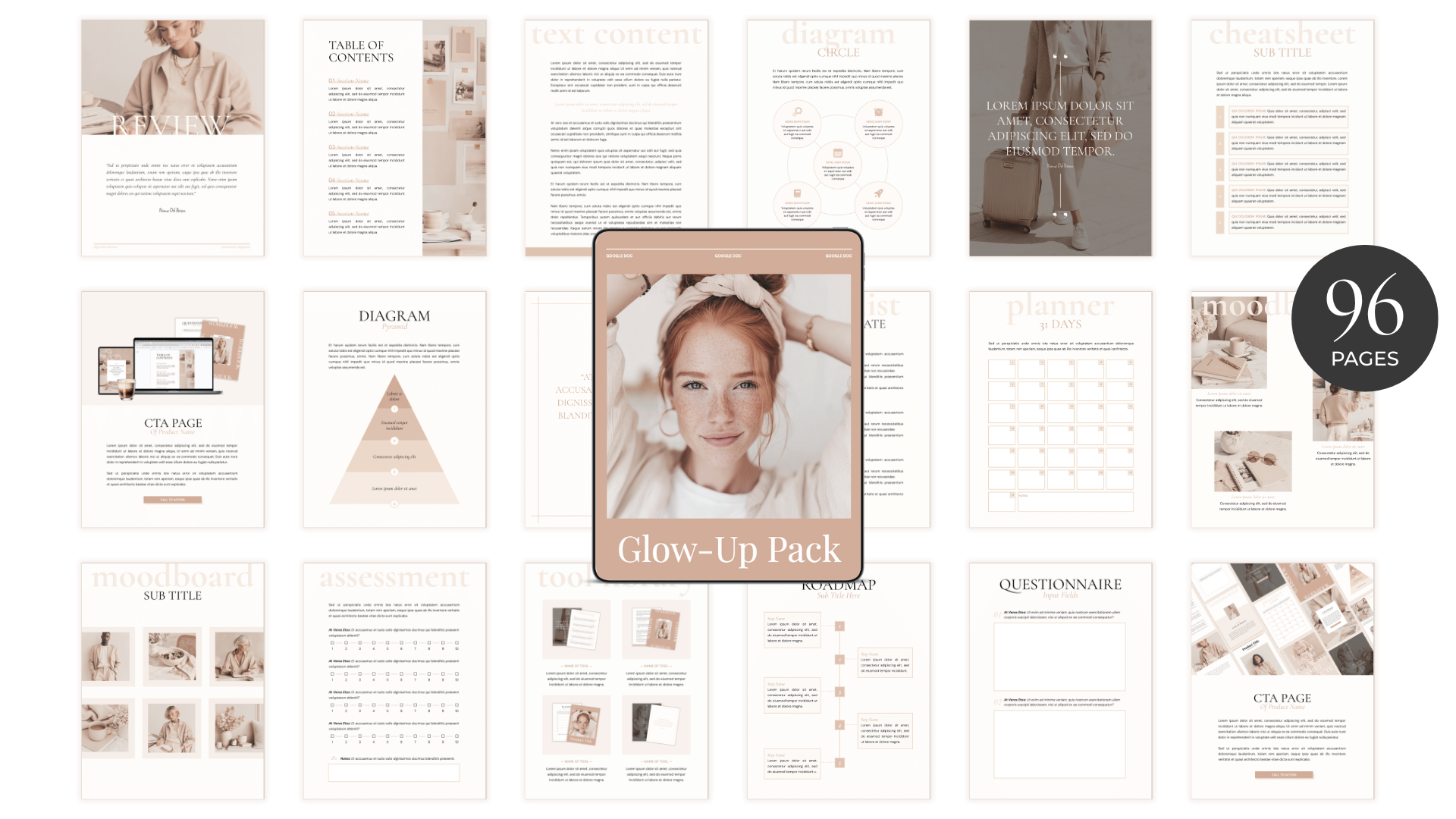
Can you believe your user–friendlyGoogle Docs can actually look like Canva?!
Get 96 beautifully designed Google Doc page layouts so you can create premium and user-friendly digital products quickly.
You can use these templates to create ✨ workbooks ✨ coaching materials ✨ journals ✨ planners
✨ e-books ✨ online course resources ✨ trackers ✨ membership content ✨ freebies ✨ assessments ✨ workshop & webinar guides ✨ challenge worksheets
Including 🎬 8-minute Quickstart How To Use Training
& 🎬 18-minute Quickstart Customization Training
+ 📋 Cheatsheet with written instructions
7-Day Money-Back Guarantee
The Google Docs Advantage
The great thing about Google Docs is that it’s super easy for your clients to fill-in and use. Which makes them more likely to take action, get results, and ultimately come back for more.
With Canva you need to export your workbooks as a PDF and you or your client needs to use a PDF filler tool or special app to make the document interactive. And guess what, if you want to publish a new version, you get to PDF-filler-tool all over again 😓.
What templates are included:
✅ 7 Cover pages
✅ 4 Welcome pages
✅ 4 Chapter pages
✅ 3 Table of contents pages
✅ 12 Text content pages
✅ 3 Diagram pages
✅ 8 Quote pages
✅ 6 Tool library pages
✅ 9 Cheatsheet pages
✅ 3 Moodboard pages
✅ 4 Roadmap pages
✅ 2 Assessment pages
✅ 8 Questionnaire pages
✅ 10 Planner pages
✅ 2 Habit tracker pages
✅ 2 Checklist pages
✅ 3 Testimonial pages
✅ 4 CTA pages
✅ 2 Q&A pages
🎬 Walkthrough video & cheatsheet on how to use & customize the templates
7-Day Money-Back Guarantee
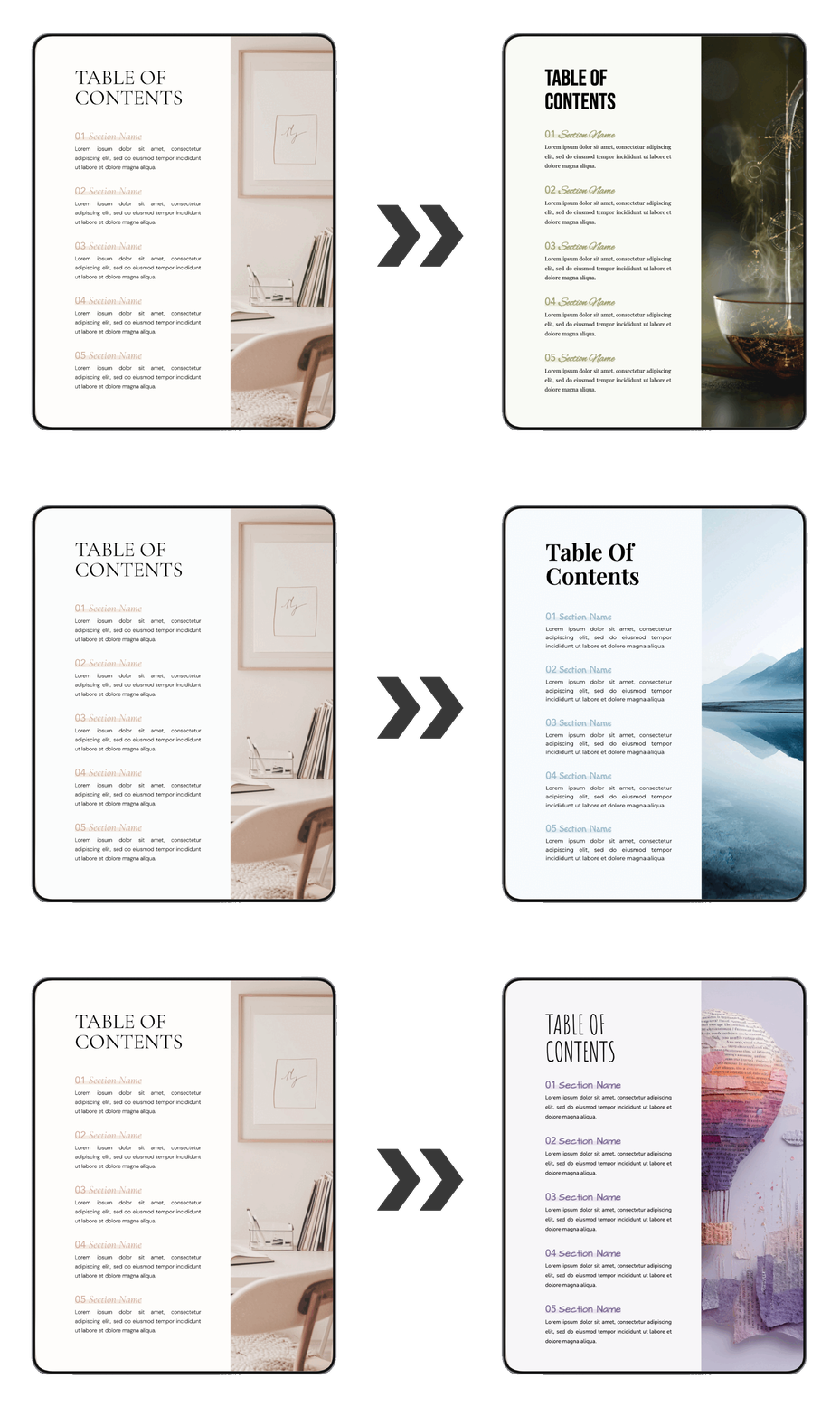
100% Customizable
You can customize fonts, colors & images to make the templates match your brand. I’ve included a video walkthrough showing you how to use and customize each template. I’ve also included instructions on how to share your Google Docs with clients.
7-Day Money-Back Guarantee
Bonus #1
51 Aesthetic Stock Images
Ever bought a beautiful template pack, only to open it and stare at a bunch of image placeholders… Not in my world. All images you see in the preview pages are included. Of course you can replace them with your images, but you’re also allowed to use the default images (yup, you can also use them for the paid products you’re creating).

Bonus #2: Animation Magic
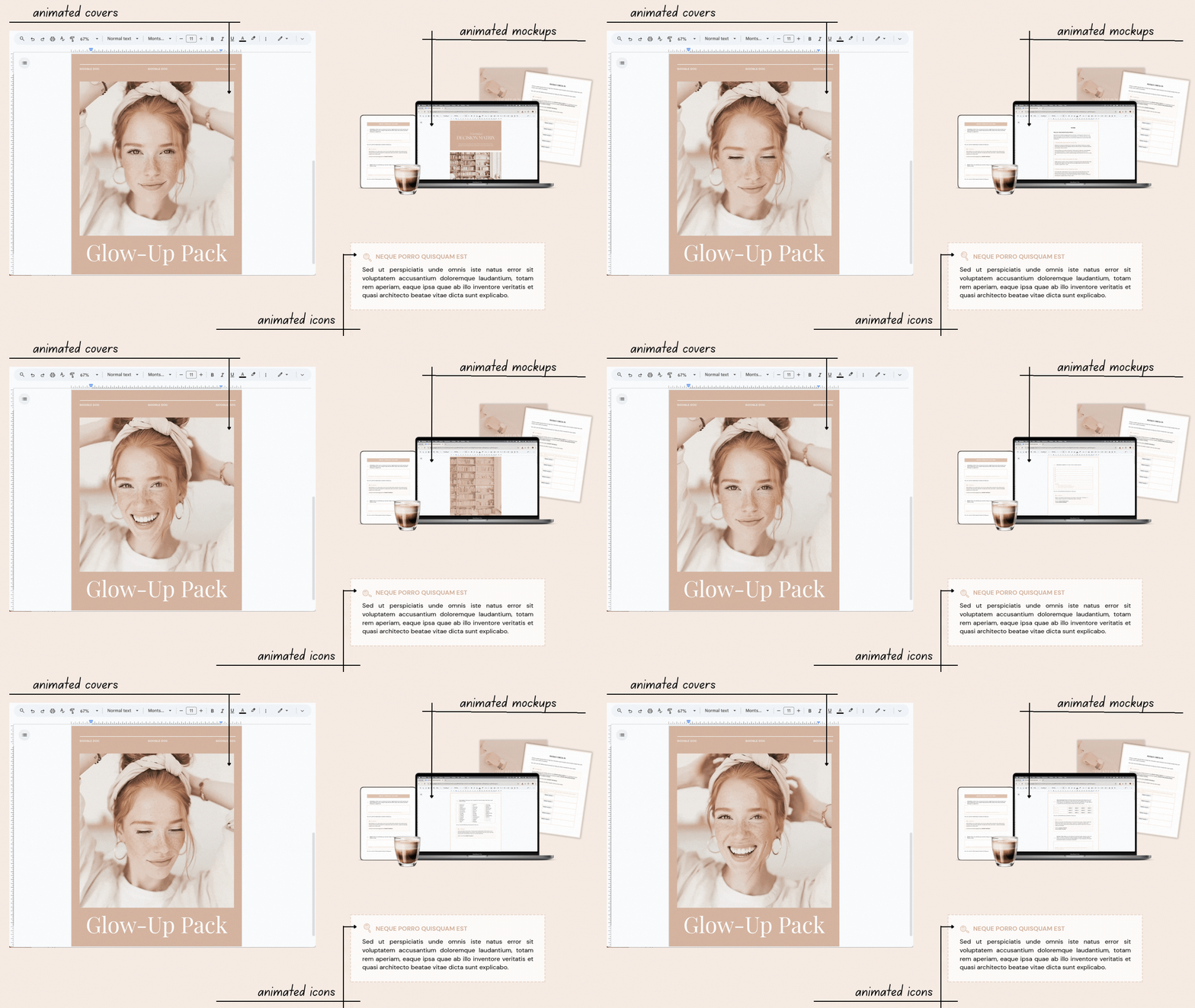
I don’t throw around the word ‘magic’ lightly. But did you know you that inside Google Docs, you can animate covers, images, icons & mockups, from adding some magical sparkles to scrolling previews of resources? How cool is that 🤩?! I will show you exactly how you can give your Google Docs a magical upgrade.
Please note, the animated resources are not included. You can purchase these seperately on the checkout page by adding the Animation Magic Resource Pack to your order. You can also use your own animated resources.
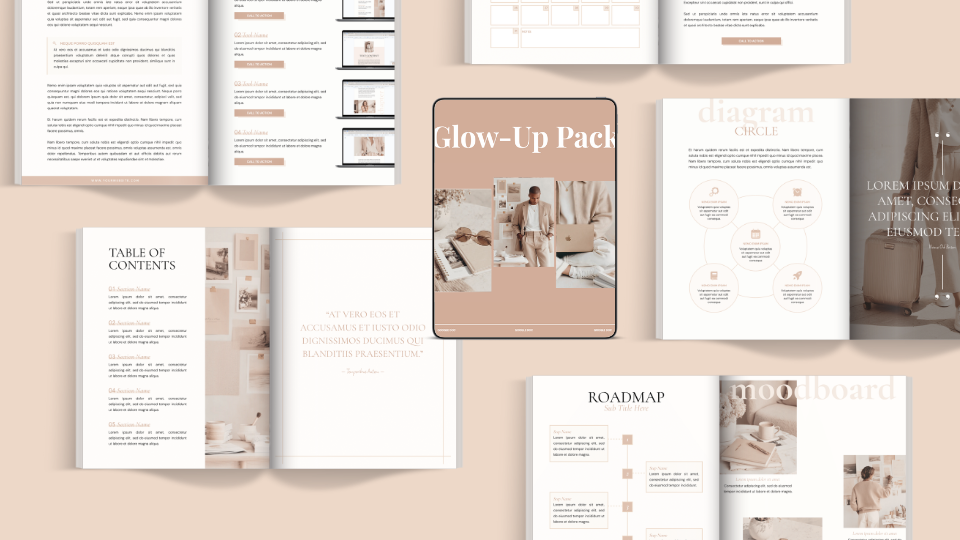
Craft premium products in minutes
with this Google Doc Glow–Up Pack
Need a digital product fast? With this set of 96 mix-and-match page layouts for Google Docs, you can quickly create a complete, high-quality resource 🤩.
You can customize the fonts, colors, and images to make it uniquely yours. Best of all, you won’t to airbnb your house, this pack is yours for less than $0.08 per page template.
7-Day Money-Back Guarantee
Who is this for?
Coaches, course creators, membership owners, digital product sellers and online educators who want to create high-quality products that are both aesthetic and user-friendly.
Without creating them from scratch… 😁

7-day refund guarantee
+ thank-you-for-trying gifts
I have a weird existential fear of being a burden to people. If I can’t deliver on the promises I’ve made on this page, please request a refund. To compensate you for the time and effort you’ve put in, I’d also like to gift you three PLR products you can keep using & selling.
7-Day Money-Back Guarantee
FAQ
Q: Why not just use Canva instead of Google Docs?
A: Because when you export your Canva file as a PDF, it’s not fillable. This can be solved with a PDF filler tool, but that requires a lot of work either on your part or for your client. Not to mention, when you want to make any changes to your product, you have to do the whole PDF-filler-shizzle again – ain’t nobody got time for that. That’s why I like to use Google Docs, because clients can type straight into their copy of the document.
Q: How does the licensing work?
A: You can use these templates in your own business but you can’t sell the templates themselves. You have to add your own content and create your own products before selling them or using them in your business.
Q: Can I customize the fonts, images, and colors?
Q: What kind of support can I expect?
If you have any questions, you can email me at [email protected]. I try to answer all questions, but due to the price of the product, I won’t be able to provide in-depth support.
Q: What do I need to use this training?
You need a free Google account.
For the Animation Magic bonus, to animate the laptop/ desktop mockups you also need a free Canva account. However you can do all other animations without Canva.
Q: Are the templates mobile-friendly?
Nope, unfortunately, the layout options for mobile-friendly components are very limited inside Google Docs. When you (or your clients) want to view the doc on mobile, I recommend toggling on ‘print layout’ (in Google Docs/ Drive app), but please note they are not fillable in this mode and not all page templates will be displayed properly.
Q: Is there a money-back guarantee?
Absolutely! There’s a no-hard-feelings 7-day money-back guarantee. Plus, you will get three products with resell rights as a thank-you-for-trying gift.
Q: Why should I buy now? What if I wait?
I have no idea how long this offer will be available for $7. It really depends on whether and for how long the Facebook ads to this funnel will work. So if you want to make sure to access it for just $7, now is the time to do it, as it might not be available in the future or it might be more expensive.